Personalised care monitoring: Setting up the data pipeline

In this post, I’ll describe the data logging pipeline I’ve set up to track my workouts, sleep quality, nutritional intake, and state of mind.
The figure below illustrates this data pipeline. At the center of it is the Apple Health app, which serves as the main data hub. Various activity metrics—such as walking, cycling, and bouldering—are recorded using my Apple Watch (Series 11) and written to the Health app through the Fitness app. Sleep quality is also estimated via the Apple Watch.
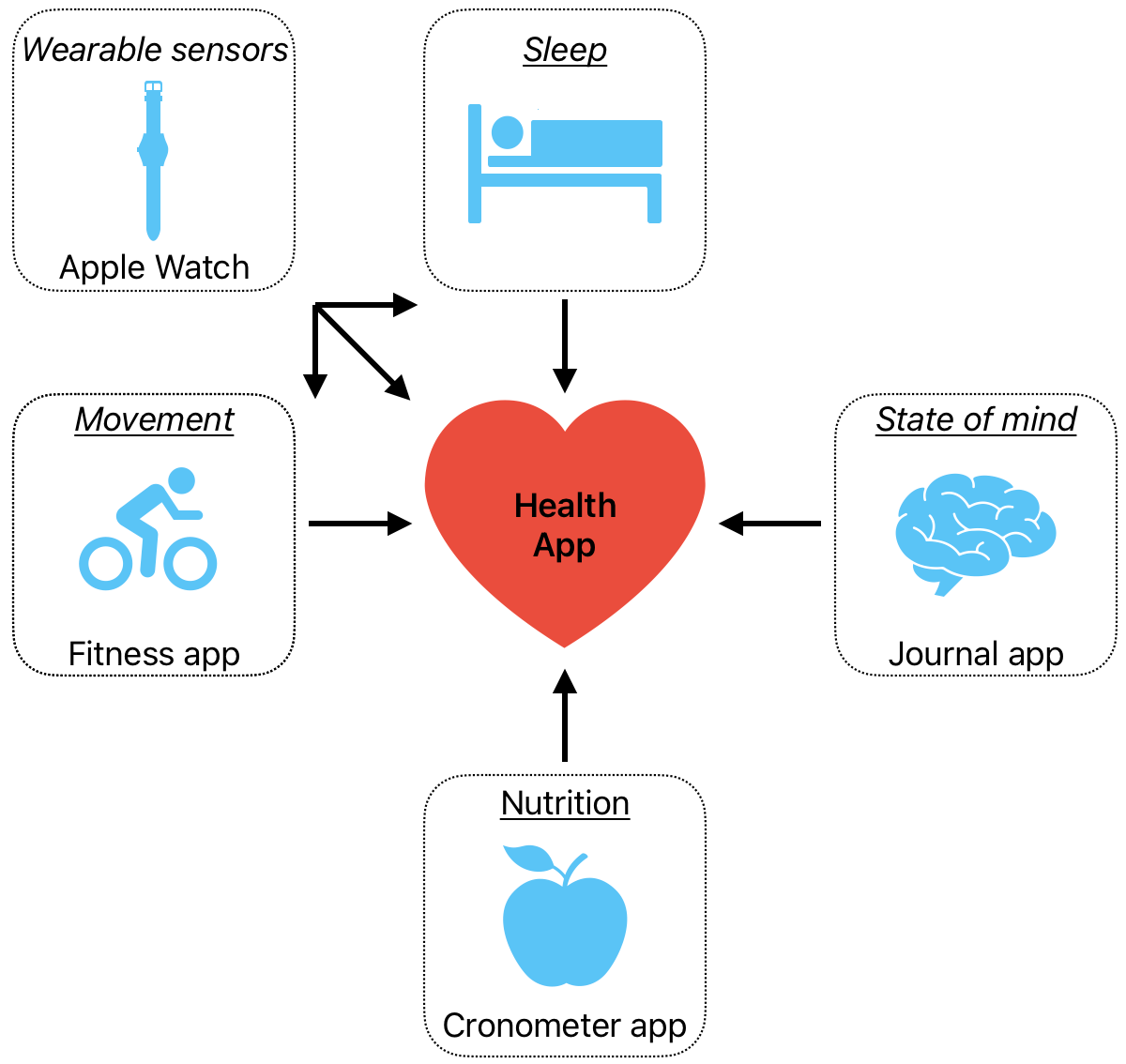
I log my nutritional information using the third-party app Cronometer. I currently use the free version, which conveniently includes a barcode scanner. The app features a crowd-sourced database of foods with labeled nutritional values. Using my phone’s camera, I can scan the barcode of a food item and have its nutritional information automatically entered, making data entry quick and efficient. Occasionally, when an item isn’t found, I enter the information manually.
Cronometer also includes an important feature that allows it to link and write data to the Apple Health app. I’ve previously tried the premium version of MyFitnessPal, which, in my experience, has a more extensive database, particularly for foods commonly found in Dutch grocery stores. However, I’m satisfied with the free version of Cronometer for now. You get what you pay for!
I also tested a free Dutch app called Eetmeter, but I stopped using it after just a few minutes when it failed to recognize the barcode on a box of blueberries. Additionally, it doesn’t support integration with the Apple Health app.
Lastly, I record my state of mind status via the Apple's journal app and Day One, primarily through textual entries.
The follow up step would be to find a cool and informative way to visualise all this data to capture trends. A couple of ideas come to my mind:
- Easy (boring) approach: Take screenshots of the relevant trends that apple health has visualised.
- Not so easy (fun) approach: Build a real-time custom web dashboard with the ingested data from the apple health export.xml file that updates daily.
If all goes according to plan, I hope to share an overview of my state of health after about 30 days of daily recording, so stay tuned... :)
Before wrapping up, let’s briefly discuss some of the main risks and limitations associated with recording personal data within the Apple ecosystem and third-party applications.
Privacy and security concerns
Essentially, it comes down to how much trust we can place in Apple (or other big tech companies) to handle our personal health data. I will be discussing Apple, the company and service I’ve chosen to monitor aspects of my personal health.
Here is what Apple says regarding the data collected via the health app:
"When your device is locked with a passcode, Touch ID, or Face ID, all of your health and fitness data in the Health app — other than your Medical ID — is encrypted and inaccessible by default. Additionally, if you are using iOS 12 or later and turn on two-factor authentication, Apple will not be able to read your health and activity data synced to iCloud."
I’m not an expert in legal or cybersecurity matters. However, I believe Apple’s statements in this area have to be taken on trust. Apple’s closed ecosystem is generally considered more secure than the more open Android ecosystem. That said, privacy and cybersecurity require continuous attention, as no company or service is completely immune to security threats. Apple is known for regularly pushing security updates. For now, I don’t see any reason for concern.
Finally, another potential source of data security risk comes from third-party apps, such as the Cronometer app. As shown in the screenshots below, I have configured Cronometer to write data only to the Apple Health app, without permission to read data from it. This setup significantly reduces the risk of data leakage into the third-party Cronometer database.
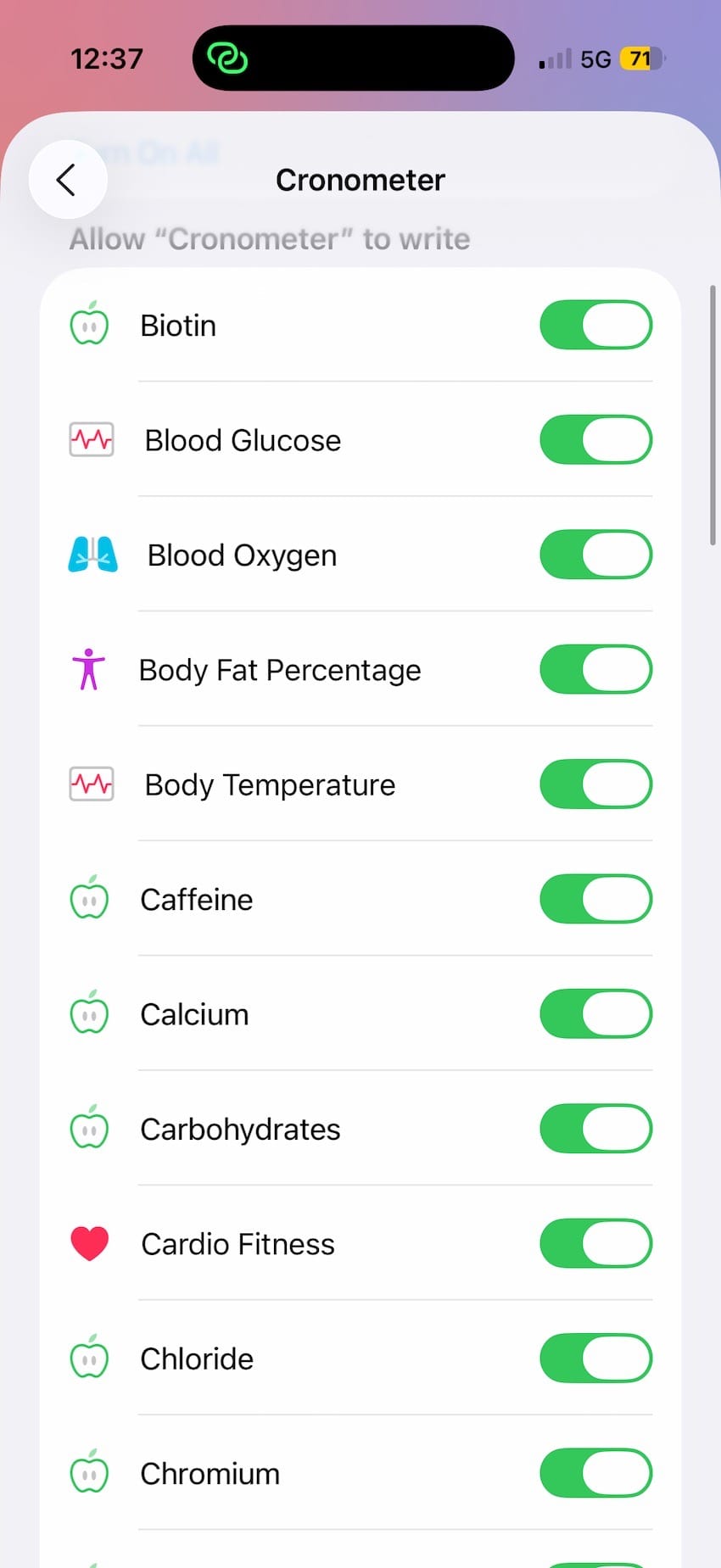
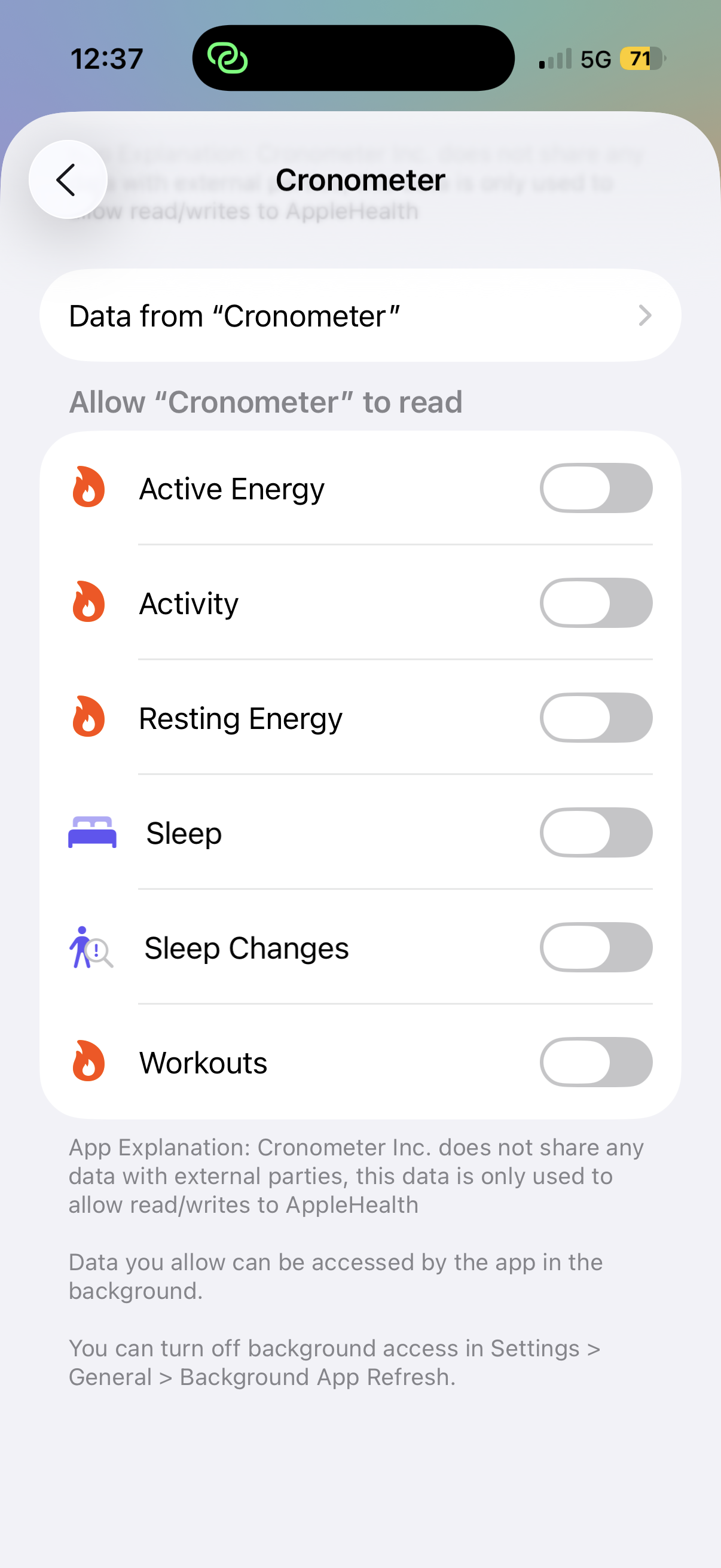
You can control the “write” and “read” permissions of third-party apps that handle your data, as demonstrated here by the permissions I granted to the Cronometer app when it interacts with Apple Health.
Limitations
There are also some clear limitations to this way of tracking health and lifestyle such as over-reliance on digital tools, the tedious manual entry of nutrition data and data accuracy limits. Moreover, I’m not yet tracking how is the inside doing. More invasive (and expensive) methods, like continuous glucose monitoring and periodic blood tests, could offer deeper insights. Such challenges and others, I might follow up in a future post 🐣.
Overall, I think the benefits of recording and tracking health data and gaining insights into lifestyle and habits outweigh the potential data security risks and other limitations.
Let us see how long I hold this view 🐼.